

Online Notary in New Jersey: How Remote Notarization Works and When You Need It
Need a document notarized but cannot get to a bank or shipping store? In New Jersey, a commissioned notary can notarize many documents over a secure live video session. It is called remote online notarization (RON), and it can take minutes instead of an afternoon. Looking for an online notary New Jersey residents can use from home? This guide explains how the process works and how to get ready.
How remote online notarization works
- Request your session. Share the document type and your preferred time.
- Verify your identity. Show a current government-issued photo ID on camera and complete one approved identity-proofing method: knowledge-based authentication questions, biometric identity verification, or a digital certificate.
- Sign on camera. The notary watches you sign electronically, completes the notarial certificate and applies an electronic seal.
- Receive your document. The notarized document is returned to you electronically.
What New Jersey requires
The New Jersey Notary Public Manual sets out the safeguards:

- The notary must be physically located in New Jersey during the session.
- The signer can be located in New Jersey or another state. A signer outside the United States can also be served when the document relates to a U.S. court, agency or matter, or to U.S. property or a transaction substantially connected with the United States, and signing it is not prohibited where the signer is located.
- Identity is confirmed through the notary’s personal knowledge, a sworn credible witness, or at least two different types of identity proofing, such as a government-issued photo ID shown on camera combined with dynamic knowledge-based authentication, biometric identity verification, or a digital public key certificate.
- Every remote session is recorded, and the recording is kept for at least ten years.
- The notarial certificate states that the act was performed using communication technology.
Documents commonly notarized online
- Affidavits and sworn statements
- Powers of attorney (check that the receiving party accepts electronic notarization)
- Consent and authorization forms, including travel consent for minors
- Business documents, such as agreements, resolutions and vendor forms
- Vehicle, school and employment forms that require a notarized signature
Always confirm with the office, court, lender or foreign agency receiving your document that it accepts electronic notarizations. Some still require a paper original with an ink signature, and in those cases you will need an in-person notary. Remote notarization also does not cover every record. Under the New Jersey Notary Public Manual, the remote notarization rules do not apply to creating or executing wills, codicils or testamentary trusts. For those documents, work with your attorney and an in-person notary.
How to prepare
- Have a current, unexpired photo ID ready, such as a driver’s license or passport.
- Do not sign the document before the session.
- Use a device with a camera, microphone and a stable internet connection, in a quiet, well-lit room.
- Make sure every signer can join, and tell us in advance if witnesses are required.
Remote online notarization vs in-person notarization
| Remote online | In person | |
|---|---|---|
| Where you sign | Anywhere with a secure internet connection | At the notary’s location or an agreed meeting place |
| Identity check | Photo ID plus online identity verification | Physical review of your photo ID |
| Record of the session | Audio-video recording retained by the notary | Journal entry |
| Document format | Electronic document with electronic signature and seal | Paper document with ink signature and stamp |
| Best for | Busy schedules, signers out of state or abroad, limited mobility | Documents that must be on paper with a wet ink signature |
What you need for a remote session
- A computer, tablet or smartphone with a working camera and microphone
- A stable internet connection in a quiet, well-lit, private space
- Your unexpired government-issued photo ID
- The complete, unsigned document in digital form, usually a PDF
- An email address and mobile phone to receive session links and the finished document
Test your camera and audio a few minutes before the session. Most delays come from weak connections or unreadable ID images, not from the notarization itself.
When a session cannot be completed
A notary must refuse or pause a notarization when the legal safeguards are not met. Common reasons include:
- Your identity cannot be verified, often because of an expired or unreadable ID
- The document is incomplete or has blank spaces that should be filled in
- You appear unsure what you are signing or seem pressured by someone else
- The video or audio connection fails during the session
These rules protect you. When a session is paused, you can usually reschedule once the issue is resolved.
Documents for use outside New Jersey
Many states and agencies accept remotely notarized documents, but acceptance is decided by whoever receives the document. Documents headed to another country may also need an apostille or other authentication issued by the state after notarization. Confirm the requirements with the receiving office before your session so the document is right the first time.
What a notary can and cannot do
A notary verifies identity and witnesses signatures. A notary who is not an attorney cannot choose forms for you, explain what a document means legally or give legal advice. For those questions, please speak with an attorney.
Your tech checklist for remote online notarization
Most delays in an online notary session come from technology, not paperwork. Five minutes of preparation usually means a session that runs smoothly from start to finish.
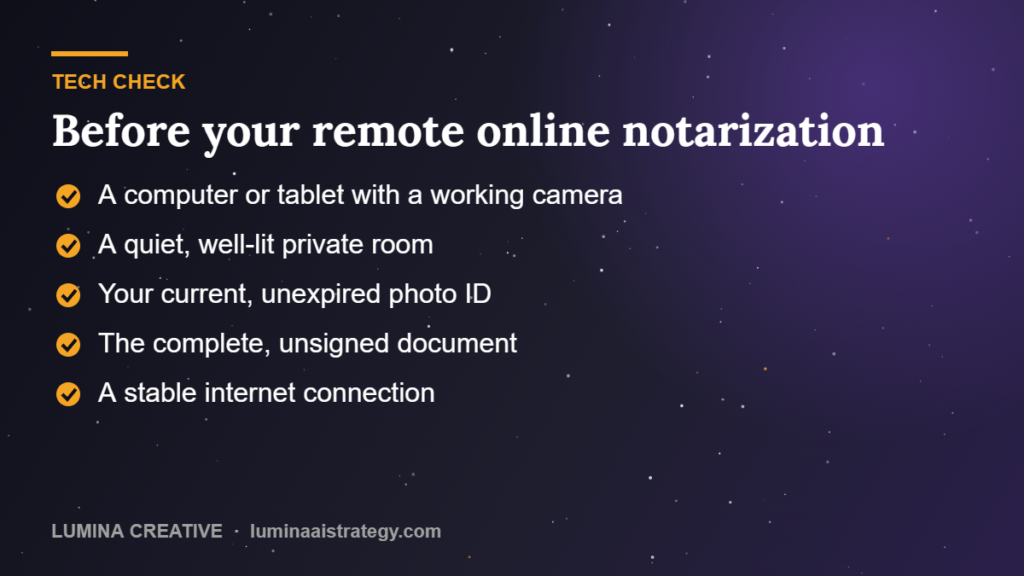
- Use a device with a working camera and microphone. A laptop or tablet is easier than a phone, because the document is easier to read and sign.
- Find a quiet, private, well-lit room. The notary needs to see you clearly, and you should be the only signer on camera unless others are also signing.
- Have your ID in hand. Use a current, unexpired government-issued photo ID. The platform will ask you to capture it during identity verification.
- Upload the complete document, unsigned. Do not sign in advance. Signing happens during the recorded session.
- Check your internet connection. A stable connection prevents the session from dropping in the middle of signing.
Common mistakes that delay an online notarization
- Signing before the session. If the document is already signed, the notary cannot notarize that signature.
- Missing pages or blank fields. Fill in everything except the signature before you upload. A notary cannot complete the content of your document for you.
- Expired identification. Check the date on your ID before you book.
- Asking the notary for legal advice. A notary verifies identity and witnesses signatures. Questions about what a document means or which form to use belong with an attorney.
- Assuming the receiving party accepts electronic notarization. Confirm with the person or agency receiving the document before you book.
Your online notary session, step by step
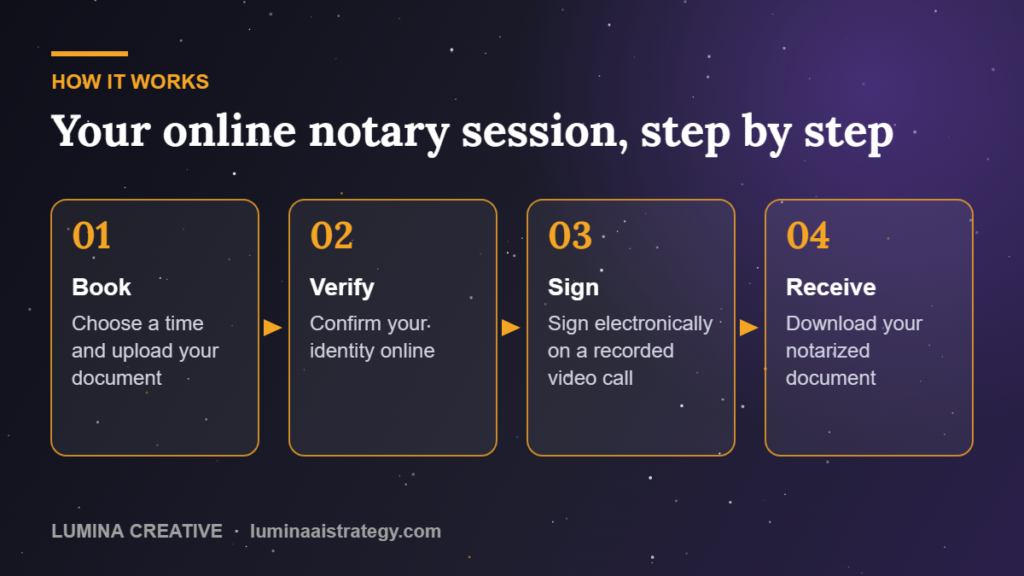
- Book a time and upload your document through the notary’s secure platform.
- Verify your identity with your photo ID and the platform’s identity checks.
- Join the recorded video session and confirm you understand what you are signing and are signing willingly.
- Sign electronically while the notary watches, then the notary applies an electronic seal and signature.
- Download your notarized document and share it with the person or agency that needs it.
Is remote online notarization secure?
Remote online notarization is designed with security at its core. Identity is verified before the session, the session is recorded, and the completed document is sealed so later changes can be detected. Choose an online notary New Jersey commissioned for remote and electronic notarization, and use the secure platform they provide rather than sending documents by ordinary email.
Who uses an online notary in New Jersey?
People choose remote online notarization when travel is hard or time is short: busy professionals between meetings, caregivers who cannot easily leave home, business owners signing vendor or employment forms, and residents who are temporarily out of state. If you need a document notarized and cannot easily visit an office, an online notary may be the simplest option.
Online notary vs. mobile notary vs. notary office
There are three common ways to get a document notarized in New Jersey, and each fits a different situation.
- Online notary. You sign from anywhere with a camera and internet connection, usually on short notice. Best when the receiving party accepts electronic notarization and you want speed and convenience.
- Mobile notary. A notary travels to your home or office for an in-person signing. Useful when a document must be signed on paper or several people need to sign together in one place.
- Notary at a bank or office. Often low cost or free for customers, but limited to business hours and availability.
If you are unsure which option fits, start by asking the person or agency receiving the document whether they accept remote online notarization. Most delays come from finding this out after the session instead of before it.
How to choose an online notary in New Jersey
Look for a notary who is commissioned in New Jersey and authorized for remote and electronic notarization, uses a secure platform with identity verification and session recording, and tells you the full cost before you book. A good online notary explains what they can and cannot do, answers your process questions clearly and never offers legal advice. Clear communication before the session is the best sign of a smooth experience during it.
Ready to book?
Have your unsigned document, your current photo ID and a quiet room with a camera ready. Then choose a time that works for you, and your remote online notarization can be done in one short session.
Frequently asked questions
Is online notarization legal in New Jersey?
Yes. New Jersey authorizes commissioned notaries who have registered for remote notarization to perform notarial acts through approved audio-video technology, following the state’s identity and recording requirements.
Do I have to live in New Jersey to use a New Jersey remote notary?
No. The notary must be physically in New Jersey during the session, but the signer can generally be located elsewhere. Check that the party receiving your document accepts a New Jersey remote notarization.
How long does a remote notarization take?
Most single-document sessions take about 10 to 20 minutes once your identity is verified, depending on the number of signatures.
Can a notary tell me what my document means?
No. A notary who is not an attorney cannot explain legal effects, choose forms or give legal advice. Speak with an attorney if you have questions about the document itself.
Book a notarization
LuminaSign Remote Online Notary offers secure remote sessions for signers anywhere. See our notary services or request a session.
Related reading
Notice: I am not an attorney licensed to practice law and may not give legal advice about immigration or any other legal matter or accept fees for legal advice.