AI for Small Business in 2026: What Owners Are Actually Doing (and Where to Start)
AI for small business stopped being a “someday” topic this year. According to Bluevine’s 2026 Small Business AI Trends Report, 74% of small business owners now use or actively test AI tools. Yet most owners we meet still feel behind, unsure which tools matter, and worried about getting it wrong.
This guide cuts through the Haze. You will see what owners are really doing with AI, the honest obstacles, and a simple plan to start in the next 30 days.
How small businesses are using AI right now
The same Bluevine survey of 942 owners found the most common uses are practical, not futuristic:
- Data analysis and business insights (39%): summarizing sales, spotting trends, answering “what happened last month?”
- Marketing and sales (37%): drafting emails, social posts, product descriptions and proposals.
- Automating operations (29%): scheduling, follow-ups, data entry and reporting.
- Customer service (27%): FAQs, chat replies and first-response emails.
- Financial management (23%): categorizing expenses, cash-flow questions and invoice prep.
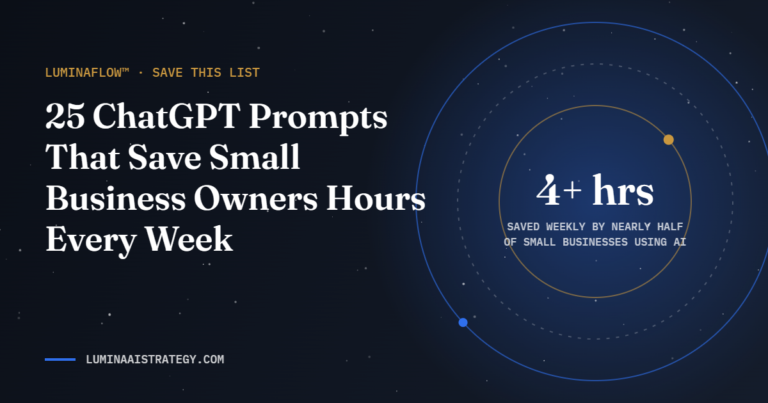
The payoff is real time. Nearly half of owners using AI (48%) recover at least four hours a week, and 14% save ten or more. A separate Ipsos poll for the U.S. Chamber of Commerce Foundation found that 65% of employers say the time AI saves goes into more or higher-quality work.
What is holding owners back
Adoption is wide, but confidence is thin. Bluevine reports that 82% of owners hit at least one obstacle to deeper AI use. The biggest are data security (33%) and distrust of AI accuracy (31%), and 78% are not fully confident letting AI handle even low-level tasks unsupervised.
Those concerns are healthy. AI is a powerful assistant, not an autopilot. The businesses getting results pair AI with clear rules, human review and Fortified data practices.
A 30-day plan to start using AI in your business
Week 1: Find your time leaks
List the five tasks that eat most of your week. Look for anything repetitive, text-heavy or rules-based, such as answering the same questions, writing follow-ups or building reports.
Week 2: Pick one tool and one task
Choose a single assistant, such as ChatGPT, Gemini, Copilot or Claude, and apply it to one task. Write down how long the task took before, and measure again after.
Week 3: Write it down
Turn your best prompts into a simple checklist so the result is consistent every time. Add a review step: AI drafts, a human approves.
Week 4: Connect and protect
Once a task works, connect it to your other tools so it runs with less effort, and set rules for what information never goes into an AI tool, such as client IDs or payment details.
How to choose your first AI use case
The best first project is not the most exciting one. It is the task that repeats often, follows a clear pattern and carries little risk if the first draft is imperfect. Score each task on your time-leak list against three questions before you commit.
| Question | Good sign | Warning sign |
|---|---|---|
| How often does it repeat? | Daily or weekly | A few times a year |
| Is there a clear pattern? | Same steps and format each time | Different every time, heavy judgment |
| What happens if AI gets it wrong? | A human catches it before anyone sees it | A client, payment or legal record is affected |
Tasks that pass all three, such as first drafts of follow-up emails, meeting summaries or social captions, are ideal starting points. Tasks that fail the third question, such as anything touching contracts, taxes or medical information, belong later, with stronger review steps.
AI tools small businesses actually use
You do not need a dozen subscriptions. Most owners get the bulk of their value from one general assistant plus the AI features already built into the tools they pay for.
- General AI assistants such as ChatGPT, Claude, Gemini and Microsoft Copilot handle writing, summarizing, brainstorming and analysis.
- Built-in AI features inside your email, CRM, accounting and design tools often cover a task without adding another login.
- Automation platforms connect your apps so a finished task moves forward on its own, such as sending a new form lead into your CRM with a drafted reply.
- AI meeting and note tools capture calls and turn them into summaries and action items.
Before adding any tool, check where your data is stored, whether your inputs are used to train the model and who on your team has access. A short review now prevents a long cleanup later.
Set simple AI rules for your team
Even a team of two benefits from a one-page AI policy. It removes guesswork and keeps client trust intact. Cover these points:
- Approved tools: which AI tools the business uses and which accounts to sign in with.
- Never-share list: client IDs, payment details, passwords and private records never go into an AI tool.
- Review rule: every AI draft that reaches a customer is read and approved by a person.
- Disclosure: when and how you tell clients that AI supports your work.
- Ownership: one person keeps the policy current as tools change.
How to measure whether AI is paying off
Track results the same way you would any investment. Time how long a task takes before AI, then again after two weeks of use. Multiply the hours saved by what an hour of your time is worth, and subtract the tool cost.
For example, if a weekly proposal used to take three hours and now takes one, that is two hours back each week, or roughly eight hours a month. If your time is worth $75 an hour, that is about $600 in recovered capacity against a tool that may cost a small fraction of that. The real win is what you do with the hours: more sales calls, better client service or simply rest.
Frequently asked questions about AI for small business
Is AI expensive for a small business?
Not usually. Many general AI assistants offer free or low-cost plans, and AI features are often included in software you already pay for. The bigger cost is time spent learning, which is why starting with one task matters.
Will AI replace my employees?
For most small businesses, AI takes over repetitive pieces of a job, not the whole job. Owners report putting the saved time into higher-quality work, client relationships and growth.
Is it safe to use AI with business data?
It can be, with the right settings and rules. Use business accounts, check each tool’s data and training policies, and keep sensitive information out of prompts entirely.
What is the easiest first AI task?
Drafting routine emails or summarizing long documents. Both repeat often, save time immediately and are easy for a person to review before anything is sent.
Where Lumina fits
At Lumina Creative, AI work runs through our four-pillar system. LuminaFlow™ builds the automations, LuminaRank™ makes sure customers and AI search tools can find you, LuminaGrowth™ turns saved hours into growth, and LuminaServe™ keeps your data and systems protected.
Not sure where your business should start? Take the free 2-minute Lumina Client Compass or book a conversation.
Key takeaways
- Most small businesses already use AI. The gap is strategy, not access.
- Start with one repetitive task, measure the time saved, then expand.
- Keep a human in the loop and protect sensitive data from day one.