

The 2026 Small Business Automation Checklist
Repetitive admin work is the quiet tax on every small business. Emails, data entry, reminders and follow-ups rarely feel big on their own, but together they consume hours each week. This small business automation checklist helps you spot which tasks to automate first. Use this small business automation checklist to decide what to automate first and what to leave alone.
How to use this checklist
Go through each section and mark the tasks you still do by hand. Anything you do more than twice a week, in the same way each time, is a strong candidate for automation.

Leads and sales
- Website form submissions create a CRM contact automatically.
- New leads receive an instant confirmation email.
- A follow-up task is created for every new inquiry.
- Leads with no reply get a reminder after a few days.
Scheduling
- Clients book through an online calendar instead of email back-and-forth.
- Confirmations and reminders send automatically.
- Cancellations update your calendar and notify you.
Onboarding and delivery
- Signed agreements trigger a welcome email.
- A project folder and task list are created for each new client.
- Status updates go out on a set schedule.
Billing
- Invoices are generated from a template or schedule.
- Payment reminders send before and after due dates.
- Paid invoices are recorded in your bookkeeping tool.
Reputation and retention
- Happy clients receive a review request after a completed project.
- Past clients receive a check-in or offer at regular intervals.
Before you automate anything
- Write the process down step by step.
- Remove steps that do not add value.
- Test the automation with sample data.
- Turn on error alerts so you know if it stops.
How to score tasks on your small business automation checklist
Not every item on a small business automation checklist is right for every business. Score each task before you automate it, and start with the highest scores.

Give one point for each statement that is true:
- The task happens at least once a week.
- It follows the same steps every time.
- It takes fifteen minutes or more when done by hand.
- A mistake or delay costs time, money or a customer’s trust.
- The information it needs already lives in an app, form or spreadsheet.
Tasks that score four or five are excellent first projects. Tasks that score two or less are usually better left alone, at least for now.
The tools behind a small business automation checklist
Most automation in a small business runs on tools you may already have.
- Forms and CRM: capture inquiries and keep every lead in one place.
- Scheduling: let clients book, reschedule and receive reminders automatically.
- Accounting: send invoices, recurring billing and payment reminders.
- Email marketing: welcome new subscribers and follow up after purchases.
- Automation platforms such as Zapier or Make: connect apps that do not talk to each other natively.
Before buying anything new, check the built-in automation features of the tools you already pay for. Many small businesses use only a fraction of what they have.
What not to automate
Some work should stay personal. Keep these with a person, even if a tool could technically handle them:
- Responding to complaints or sensitive client situations.
- Pricing decisions and custom proposals.
- Hiring, performance and team conversations.
- Anything involving legal, medical or financial advice.
- Thank-you notes to your most important clients.
Automation should free time for the human moments that matter most, not replace them.
Roll out your automation checklist safely
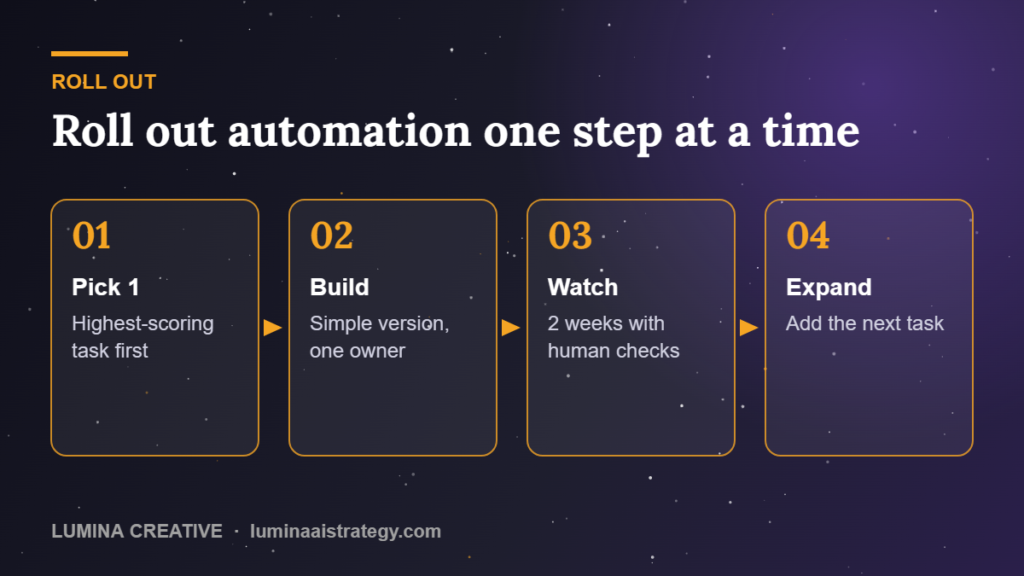
- Pick one task with the highest score.
- Build the simplest version that works, with one named owner.
- Watch it for two weeks, checking results by hand.
- Expand to the next task only when the first one runs reliably.
Document each automation as you go: what triggers it, what it does and who to call if it breaks. That record keeps your business running smoothly as your systems grow.
Examples by type of business
Every business has its own rhythm, so the best first projects vary. Here are common starting points that owners in different industries tell us save the most time.
- Consultants and coaches: instant replies to inquiries with a booking link, reminder emails before calls and a follow-up message with notes afterward.
- Home and field services: online booking, “on the way” texts, job completion messages and a review request the next morning.
- Salons, studios and wellness practices: confirmations, reminders, no-show follow-ups and a check-in message to clients who have not booked in a while.
- Online shops: order confirmations, shipping updates, abandoned cart reminders and a thank-you email with care instructions.
- Bookkeepers and other professional services: monthly document requests, deadline reminders and recurring invoices.
Pick the examples that match your business, then score them using the five questions above.
Prepare before you build anything
Rushing into a new tool is the fastest way to create a process nobody trusts. Spend an hour on these steps first:
- Write the current process down, step by step, exactly as it happens today.
- Remove steps that add no value. Simplifying first often saves as much time as the technology does.
- Decide what a good result looks like, such as “every inquiry receives a reply within ten minutes.”
- Name an owner who checks the results and makes adjustments.
- Plan for failure. Decide how you will know if something stops working and what the manual backup is.
These steps make the build faster and the result far more reliable.
How much time can you save?
Results depend on your volume, but the math is easy to estimate. Multiply how long a task takes by how often it happens each month. A ten-minute task done forty times a month is nearly seven hours. Remove most of that and you have reclaimed close to a full working day every month, from a single process. Add three or four similar wins and the time adds up quickly.
Keep your systems healthy
Once things are running, a little maintenance keeps them that way. Turn on error notifications, test each process with a sample record once a month, and review everything each quarter. Remove anything you no longer use, update connections before passwords expire, and keep your documentation current. Healthy systems are quiet systems. You notice them only because work keeps moving.
Your next step
Print this checklist, score five tasks this week and choose the one with the highest score. Build a simple version, watch it closely for two weeks and then move to the next. Steady progress beats a big, risky overhaul.
Questions owners ask before they start
Will customers notice that messages are not written by a person? They will notice speed and consistency. Write your templates in your own voice, use the customer’s name and keep messages short. Most people simply appreciate a quick, clear reply.
Do I need technical skills? Most of the tasks on this list can be set up with built-in settings in tools you already use. Connecting several apps together may take a little more patience, or a few hours of help from someone experienced.
What if I choose the wrong tool? Start with a simple process in the tools you already own. If you outgrow them, the written steps you created will make moving to a new platform much easier.
How do I keep my data safe? Use strong, unique passwords and multi-factor authentication on every connected account, connect apps with a shared business login rather than a personal one, and give each tool only the access it needs.
A sample first month
Here is what a realistic first month can look like for a small service business:
- Week 1: Score tasks, choose the top one and write down the current process.
- Week 2: Set up an instant reply with a booking link for new inquiries.
- Week 3: Add appointment reminders to reduce no-shows.
- Week 4: Review results, fix rough edges and choose the next task.
By the end of the month, two of the most common time drains are handled consistently, and you have a repeatable method for the rest of the list. That method is more valuable than any single tool.
Where to find more help
If you would like a second set of eyes on your plan, Lumina offers short Clarity Calls to help owners choose the right first steps and avoid costly missteps. You will leave with a prioritized list you can act on, whether you build it yourself or bring in help.
Key takeaways
- Start with lead capture, scheduling and follow-up.
- Automate only processes that already work by hand.
- Monitor every automation so failures never go unnoticed.
Want help turning this checklist into working systems? Explore LuminaFlow™ or book a Clarity Call.